Super MANDELZOOM
Robert P. Munafo, 2023 Aug 20.
Super MANDELZOOM is an old Macintosh program for viewing the Mandelbrot Set. It is specialized for black-and-white Macs, and lacks floating-point or color. The rest of this entry describes its virtues.
It was written entirely in assembly language (165K of source code) and a very large amount of time was spent optimizing the critical sections. Begun in fall of 1985, it was one of the earliest, and for several years the fastest, ways to explore the Mandelbrot set on a Macintosh.
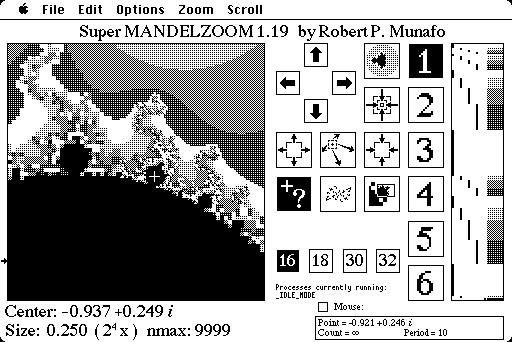
Using the query command to find a mu-atom's period
There are 4 different integer iterator routines — 16-bit, 18-bit, 30-bit, and 32-bit. Each is faster than the next, and you use whichever is the lowest number of bits that will work at your current magnification level. Switching between the four routines is user-controlled, because sometimes you don't need to view the image at full resolution, and in those cases you can sometimes save time by using the faster iterator.
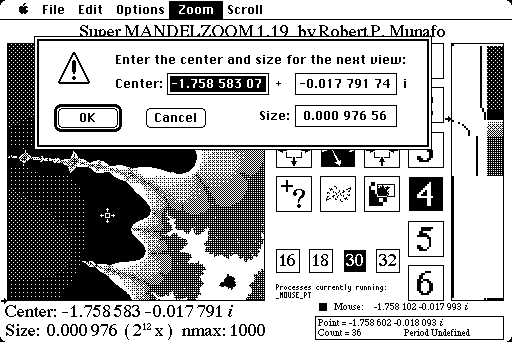
Entering coordinates from the keyboard
The user interface for controlling the image computation is better than that of any other Mac Mandelbrot program prior to Xaos. The central algorithm for scheduling the iteration of individual pixels is Successive Refinement with full Adjacency Optimization. The user sees a coarse image right away, then after a few seconds a somewhat finer image, then finer again after a while more, etc. It is integrated into the user interface, unlike in MandelZot 3.0 where you have to keep manually turning Successive Refinement on and off each time you zoom.
|
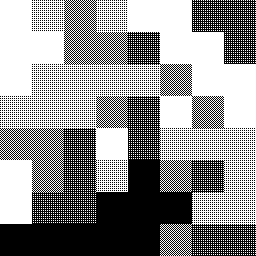
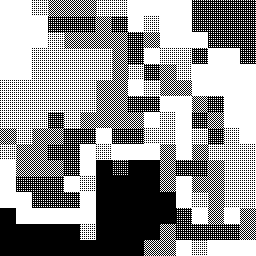
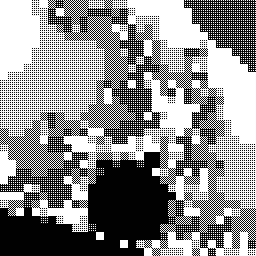
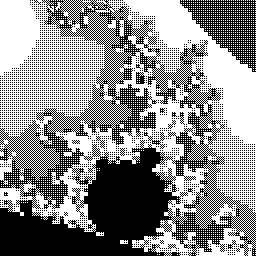
Scrolling and zooming is accomplished with keyboard commands or with the mouse.
While this drawing is going on, the user can select a rectangle with the cursor. The area inside the rectangle is given first priority over the rest of the image, and everything inside that rectangle is doubled in resolution before SMZ continues with the rest of the image.
The program implements cooperative multitasking via co-routines; for example in the screen-shot below, image computation continues even while the user is in the middle of selecting a rectangle.
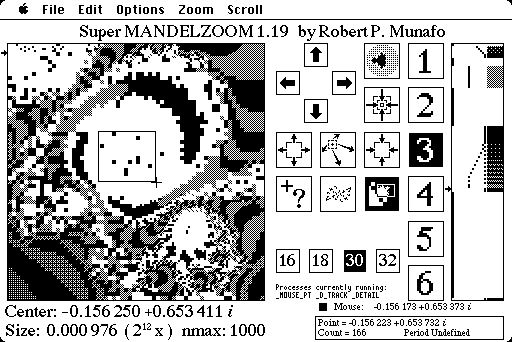
Selecting a rectangle to be imaged at higher resolution. Note three processes running
You may at any time select a new rectangle, and when you release the button, your new rectangle becomes first priority (and the other rectangle, if it was still being worked on, is forgotten). By selecting the same rectangle multiple times you can bring a region to any resolution down to 1×1 pixels; this activity does not interfere with the eventual completion of the rest of the image.
Super MANDELZOOM can copy the current 256×256 image to the clipboard. It also includes crude algorithms to render the filaments and Julia sets, and a primitive period determination capability.
Source Code
The source code for version 1.10 was released sometime around Dec 1990, (though that version of the program is from Mar 1989). The first file is 1MZ.asm; it "includes" all of the other files, which are: 020-Macros, 68K-Macros, MZ-Math16, MZ-Math18, MZ-Math30, MZ-Math32, MZ-Shades, MZ-procs, and Sys-Intf. The file MZ.link was used to direct the linking into the form that was loaded into memory.
Successor
The last version was 1.19 (1992 Oct 25). The successor to Super MANDELZOOM was Color MANDELZOOM.
See more of my Mac software.
revisions: 19990202 oldest on record; 20100225 add three screen-shot images; 20100912 add four successive refinement images, add a few links including PMZ; 20100918 clarify multitasking description; 20100920 improve two of the screen shots; 20230820 source code
From the Mandelbrot Set Glossary and Encyclopedia, by Robert Munafo, (c) 1987-2024.
Mu-ency main page — index — recent changes — DEMZ
This page was written in the "embarrassingly readable" markup language RHTF, and was last updated on 2023 Aug 21.
 s.27
s.27